
Retro Bowl
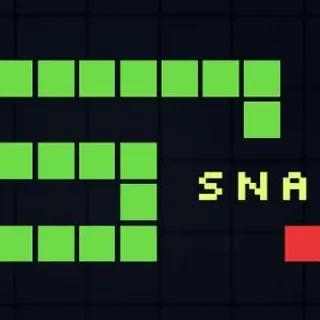
Snake

Flappy Bird
Doodle Jump

Super Mario 3.0 World
Minesweeper

Super Mario

Cat Mario
Minibattles

99 Balls

Super Star Car
Tetris
Google Snake Unblocked — Play Free Online
Arcade ClassicsPlay Google Snake free in your browser on Retro Bowl, navigating tight turns, collecting apples, and beating your high score with zero downloads.
Google Snake unblocked: play Google Snake online free right here in your browser — no download, no sign-up, works on a school Chromebook.
Google Snake is a modern iteration of the timeless arcade classic that tests your reflexes, spatial awareness, and forward planning. Players navigate a nimble snake across an open grid, gobbling up apples to rack up points while steadily lengthening their trail. What starts as a calm, spacious arena quickly transforms into a claustrophobic maze as your body occupies more and more of the playing area.
The beauty of the game lies in its immediate pick-up-and-play accessibility combined with a steep mastery curve. Every movement requires decisive timing: turn a split-second too late, and you will slam headfirst into an outer boundary or box yourself into an inescapable dead end. For players visiting Retro Bowl who appreciate fast-paced arcade action and high-score chasing between football matchups, it offers the ultimate quick-session reflex challenge.
How to play Google Snake
Steering your snake is straightforward and responsive:
- Arrow Keys or WASD: Change direction instantly between Up, Down, Left, and Right on desktop keyboards.
- Touch Swipes: Swipe in your desired heading when playing on tablets or smartphones.
Once a round begins, your snake glides forward continuously at a constant speed. Each piece of fruit you consume adds one segment to your body length and immediately spawns a new apple at an open location on the board. The challenge escalates as your growing tail leaves less room to maneuver. An impact against the perimeter walls or any portion of your own body ends the attempt on the spot.
Tips for higher scores
Reaching a standout high score requires more than pure reaction speed; you need disciplined routing strategies:
- Patrol the perimeter: In early stages, sweep around the outer edges of the grid. Keeping the center relatively clear ensures you always have escape avenues when grabbing centrally placed apples.
- Adopt S-curve patterns: When your snake becomes exceptionally long, navigate using deliberate zigzagging waves across rows or columns. Tightly packing your body segments prevents you from fragmenting the board into isolated, trapped zones.
- Plan your exits before committing: Never dive directly toward an apple without confirming where your head will exit after the turn. If an apple sits close to your coiled tail, circle around until the tail clears a safe path.
- Queue turns early: Tap your directional inputs a fraction of a beat before reaching grid intersections to prevent accidental overshooting into walls.
Similar games on Retro Bowl
If you enjoy quick-fire arcade sessions that test your reflexes and timing, explore other popular titles across the Retro Bowl lineup. Retro Bowl combines fast retro gameplay with tactical football drive management and roster building. If you prefer wacky physics-based sports showdowns, Touchdowners delivers chaotic two-button aerial scrambles. Meanwhile, Basketball Stars lets you jump into competitive one-on-one streetball tournaments with snappy shooting and defensive controls.
Google Snake runs smoothly directly in your web browser across Chromebooks, desktop PCs, and mobile devices without requiring extra downloads or sign-ups, making it an ideal game for brief breaks or extended high-score marathons.
Questions about Google Snake
Is Google Snake unblocked at school?
Google Snake runs in an ordinary browser tab from retrobowl911.com, with nothing to download or install, so it plays on most school Chromebooks and work computers. If a network filter blocks the site, only that network's administrator can change it.
What is the primary objective in Google Snake?
The goal is to guide the snake around the board to eat apples, which lengthens your body and increases your score, while avoiding crashes into the perimeter walls or your own tail.
How do you control the snake on desktop and mobile?
Use the Arrow keys or WASD keys on a keyboard to steer the snake in four directions. On mobile devices and touchscreens, you can swipe across the screen in the direction you want the snake to turn.
What happens when the snake collides with a wall or tail?
Colliding with the outer boundary walls or running into any part of your snake's elongated body results in an instant game over, prompting you to start a fresh run.
Does Google Snake require an account or installation?
No installation, plugin, or account creation is required. The game runs directly inside any modern web browser on laptops, Chromebooks, and mobile phones.